<?xml version="1.0" encoding="utf-8"?>
<feed xmlns="http://www.w3.org/2005/Atom" xmlns:media="http://search.yahoo.com/mrss/">
    <title>slvpn-cisco.com</title>
    <link href="https://slvpn-cisco.com/feed.xml" rel="self" />
    <link href="https://slvpn-cisco.com" />
    <updated>2026-05-30T10:31:40+06:00</updated>
    <author>
        <name>BJ</name>
    </author>
    <id>https://slvpn-cisco.com</id>

    <entry>
        <title>Why VPNs Improve Online Privacy and Anonymity</title>
        <author>
            <name>BJ</name>
        </author>
        <link href="https://slvpn-cisco.com/why-vpns-improve-online-privacy-and-anonymity/"/>
        <id>https://slvpn-cisco.com/why-vpns-improve-online-privacy-and-anonymity/</id>
        <media:content url="https://slvpn-cisco.com/media/posts/8/why-vpns-improve-online-privacy-and-anonymity.jpg" medium="image" />

        <updated>2026-05-30T10:31:40+06:00</updated>
            <summary type="html">
                <![CDATA[
                        <img src="https://slvpn-cisco.com/media/posts/8/why-vpns-improve-online-privacy-and-anonymity.jpg" alt="Person using laptop with VPN shield icon representing enhanced online privacy and security" />
                    Every time you connect to the internet, your online activities leave digital footprints that can be tracked, logged, and analyzed by ISPs, advertisers,&hellip;
                ]]>
            </summary>
        <content type="html">
            <![CDATA[
                    <p><img src="https://slvpn-cisco.com/media/posts/8/why-vpns-improve-online-privacy-and-anonymity.jpg" class="type:primaryImage" alt="Person using laptop with VPN shield icon representing enhanced online privacy and security" /></p>
                <p>Every time you connect to the internet, your online activities leave digital footprints that can be tracked, logged, and analyzed by ISPs, advertisers, government agencies, and cybercriminals. Virtual Private Networks (VPNs) have become essential tools for improving online privacy and anonymity by encrypting your internet traffic and masking your digital identity. In this article, we'll explore exactly how VPNs enhance your privacy, what limitations to understand, and which privacy features matter most.</p><h2>How VPNs Mask Your IP Address and Location</h2><p>Your <strong>IP address</strong> functions like a digital home address, revealing your approximate geographic location and identifying your internet service provider. When you connect to a VPN, your traffic is routed through a remote server, replacing your real IP address with the VPN server's IP address. This process offers several privacy advantages:</p><ul><li>Websites and online services see the VPN server's IP instead of yours</li><li>Your geographic location appears to be where the VPN server is located</li><li>Tracking companies cannot easily link your browsing activities across different websites</li><li>Your ISP can only see that you're connected to a VPN, not which websites you visit</li></ul><p>This IP masking significantly reduces the ability of third parties to build detailed profiles of your online behavior, though it doesn't make you completely invisible online.</p><h2>Encryption: The Core of VPN Privacy Protection</h2><p><strong>Encryption</strong> is the fundamental technology that makes VPNs effective privacy tools. When you enable a VPN, it creates an encrypted tunnel between your device and the VPN server, scrambling your data so that even if intercepted, it remains unreadable. Modern VPNs typically use <strong>AES-256 encryption</strong>, the same standard trusted by governments and financial institutions worldwide.</p><p>Here's what VPN encryption protects:</p><table><thead><tr><th>Data Type</th><th>Without VPN</th><th>With VPN</th></tr></thead><tbody><tr><td>Browsing History</td><td>Visible to ISP</td><td>Hidden from ISP</td></tr><tr><td>Passwords on Public Wi-Fi</td><td>Vulnerable to Interception</td><td>Encrypted and Protected</td></tr><tr><td>DNS Queries</td><td>Logged by ISP</td><td>Routed Through VPN</td></tr><tr><td>Online Banking Data</td><td>Exposed on Unsecured Networks</td><td>Additional Encryption Layer</td></tr></tbody></table><p>This encryption is particularly crucial when using public Wi-Fi networks in cafes, airports, or hotels, where cybercriminals frequently attempt to intercept unencrypted data.</p><h2>Understanding VPN Privacy Limitations</h2><p>While VPNs significantly improve privacy and anonymity, it's important to understand their limitations. VPNs are <strong>not magic invisibility cloaks</strong> and won't make you completely anonymous online. If you're logged into accounts like Google, Facebook, or Amazon, those companies can still track your activities regardless of VPN use.</p><p>Additionally, VPNs cannot protect you from:</p><ul><li>Malware, viruses, or phishing attacks targeting your device directly</li><li>Browser fingerprinting techniques that identify you based on device characteristics</li><li>Tracking cookies already stored in your browser before VPN activation</li><li>Legal obligations of VPN providers to comply with valid law enforcement requests</li></ul><p>Your VPN provider also has the technical ability to see your traffic, which is why choosing a reputable provider with a verified <strong>no-logs policy</strong> is critical for privacy-conscious users.</p><h2>Essential Privacy Features to Look For</h2><p>Not all VPNs offer equal privacy protection. When selecting a VPN for privacy and anonymity purposes, prioritize these essential features:</p><ul><li><strong>No-logs policy:</strong> Verified policies that confirm the provider doesn't store your browsing history, connection times, or IP addresses</li><li><strong>Kill switch:</strong> Automatically blocks internet traffic if the VPN connection drops, preventing accidental data exposure</li><li><strong>DNS leak protection:</strong> Ensures DNS queries go through the VPN tunnel rather than your ISP</li><li><strong>Strong encryption protocols:</strong> OpenVPN, WireGuard, or IKEv2 with AES-256 encryption</li><li><strong>Independent audits:</strong> Third-party security audits that verify privacy claims</li></ul><p>These features work together to create multiple layers of privacy protection, significantly reducing your digital exposure compared to browsing without a VPN.</p><h2>Conclusion</h2><p>VPNs are powerful tools for improving online privacy and anonymity by encrypting your internet traffic, hiding your IP address, and preventing ISPs and third parties from monitoring your activities. While they don't provide absolute anonymity, they offer practical privacy enhancements that matter for everyday internet users, remote workers, and privacy-conscious individuals. Choose a reputable VPN with verified no-logs policies, strong encryption, and essential privacy features to maximize your online privacy protection.</p>
            ]]>
        </content>
    </entry>
    <entry>
        <title>How VPN Services Help Bypass Internet Restrictions</title>
        <author>
            <name>BJ</name>
        </author>
        <link href="https://slvpn-cisco.com/how-vpn-services-help-bypass-internet-restrictions/"/>
        <id>https://slvpn-cisco.com/how-vpn-services-help-bypass-internet-restrictions/</id>
        <media:content url="https://slvpn-cisco.com/media/posts/7/how-vpn-services-help-bypass-internet-restrictions.jpg" medium="image" />

        <updated>2026-05-23T16:45:12+06:00</updated>
            <summary type="html">
                <![CDATA[
                        <img src="https://slvpn-cisco.com/media/posts/7/how-vpn-services-help-bypass-internet-restrictions.jpg" alt="Person using laptop with VPN to access restricted internet content worldwide" />
                    Millions of internet users face restrictions daily, from workplace firewalls blocking social media to governments censoring news websites. Geographic content blocks prevent access&hellip;
                ]]>
            </summary>
        <content type="html">
            <![CDATA[
                    <p><img src="https://slvpn-cisco.com/media/posts/7/how-vpn-services-help-bypass-internet-restrictions.jpg" class="type:primaryImage" alt="Person using laptop with VPN to access restricted internet content worldwide" /></p>
                <p>Millions of internet users face restrictions daily, from workplace firewalls blocking social media to governments censoring news websites. Geographic content blocks prevent access to streaming services, while public Wi-Fi networks impose bandwidth limitations. VPN services offer practical solutions to these challenges by creating encrypted tunnels that reroute your internet traffic. This guide explains how VPNs bypass restrictions, what limitations exist, and how to use them responsibly for unrestricted internet access.</p>

<h2>Understanding How VPNs Bypass Restrictions</h2>
<p>VPN services work by encrypting your data and routing it through servers in different locations. When you connect to a VPN server in another country, websites see the server's IP address instead of yours. This masks your actual location and makes restricted content accessible. <strong>Network administrators and content providers cannot easily identify VPN traffic</strong> when proper encryption protocols are used. The VPN tunnel prevents inspection of your data packets, allowing you to access blocked websites, streaming platforms, and services unavailable in your region.</p>
<p>Most restrictions rely on <strong>IP address filtering</strong> or <strong>DNS blocking</strong>. VPNs circumvent both by assigning you a new IP address and routing DNS requests through encrypted channels. However, some advanced blocking systems detect VPN usage through deep packet inspection or by maintaining databases of known VPN server IP addresses.</p>

<h2>Types of Internet Restrictions VPNs Can Overcome</h2>
<p>VPN services effectively address multiple restriction categories. <strong>Geographic restrictions</strong> or geo-blocking limit content based on your location, commonly used by streaming services like Netflix, BBC iPlayer, and Hulu. Corporate and educational institutions implement <strong>workplace firewalls</strong> that block social media, gaming, and entertainment sites during work hours.</p>
<table>
  <thead>
    <tr><th>Restriction Type</th><th>How VPN Helps</th><th>Success Rate</th></tr>
  </thead>
  <tbody>
    <tr><td>Geo-blocking</td><td>Connects to server in allowed region</td><td>High</td></tr>
    <tr><td>Government censorship</td><td>Encrypts traffic, hides destination</td><td>Moderate to High</td></tr>
    <tr><td>ISP throttling</td><td>Hides activity from ISP monitoring</td><td>High</td></tr>
    <tr><td>Workplace firewalls</td><td>Tunnels traffic outside network</td><td>Very High</td></tr>
    <tr><td>Public Wi-Fi blocks</td><td>Bypasses captive portal restrictions</td><td>High</td></tr>
  </tbody>
</table>
<p><strong>Government-level censorship</strong> in countries with strict internet controls can also be bypassed, though some nations actively block VPN protocols. ISP throttling, where providers slow specific types of traffic, becomes ineffective when your activity is encrypted within a VPN tunnel.</p>

<h2>Key VPN Features for Effective Restriction Bypass</h2>
<p>Not all VPN services perform equally when bypassing restrictions. <strong>Obfuscation technology</strong> disguises VPN traffic as regular HTTPS connections, making it harder for systems to detect and block. This feature proves essential in countries with sophisticated censorship infrastructure like China, Iran, or Russia.</p>
<p>Server network size matters significantly. VPN providers with <strong>thousands of servers across 50+ countries</strong> offer more options for finding unblocked IP addresses. When one server gets blacklisted, you can switch to another. Look for services offering <strong>dedicated IP addresses</strong> if you need consistent access to services that aggressively block shared VPN IPs.</p>
<p>Protocol flexibility allows adaptation to different restriction environments. OpenVPN remains reliable for general use, while WireGuard offers better performance. Some VPNs provide <strong>stealth protocols</strong> specifically designed for high-censorship regions, though no VPN guarantees 100% success against all blocking methods.</p>

<h2>Limitations and Legal Considerations</h2>
<p>VPNs are tools, not magic solutions. Some streaming platforms continuously update their VPN detection systems, resulting in intermittent access. Countries like China require government-approved VPNs only, and using unauthorized services carries legal risks. Always research local regulations before using VPNs to bypass restrictions.</p>
<p><strong>Connection speeds typically decrease</strong> by 10-40% when using VPNs due to encryption overhead and routing distances. Services with advanced DPI blocking may detect VPN protocols despite obfuscation. Additionally, some websites implement CAPTCHA challenges or outright blocks when detecting VPN traffic from data center IP addresses.</p>

<h2>Best Practices for Bypassing Restrictions Safely</h2>
<p>Choose VPN providers with <strong>no-logs policies</strong> verified by independent audits. This protects your privacy if servers are compromised. Enable the kill switch feature to prevent data leaks if your VPN connection drops unexpectedly. Test multiple server locations when facing blocks—servers in neighboring countries often work better than distant ones.</p>
<p>For maximum effectiveness, combine VPNs with <strong>DNS leak protection</strong> and always use the latest app version. Consider providers offering SmartDNS as an alternative for devices that don't support VPN apps. Remember that while VPNs provide access, you remain responsible for following terms of service and applicable laws in your jurisdiction.</p>

<p>VPN services offer powerful capabilities for bypassing internet restrictions, from geographic content blocks to workplace firewalls. Success depends on choosing providers with robust server networks, obfuscation features, and strong encryption protocols. While no solution works perfectly in every scenario, understanding how VPNs circumvent restrictions helps you make informed decisions. Start with reputable VPN services that offer free trials to test effectiveness against your specific restrictions before committing to long-term subscriptions.</p>
            ]]>
        </content>
    </entry>
    <entry>
        <title>Secure DNS in 2026: DNS Privacy Basics, DoH/DoT, and Common Mistakes</title>
        <author>
            <name>BJ</name>
        </author>
        <link href="https://slvpn-cisco.com/secure-dns-in-2026-dns-privacy-basics-dohdot-and-common-mistakes/"/>
        <id>https://slvpn-cisco.com/secure-dns-in-2026-dns-privacy-basics-dohdot-and-common-mistakes/</id>
        <media:content url="https://slvpn-cisco.com/media/posts/6/dgfhhbnj.png" medium="image" />

        <updated>2026-01-19T12:15:22+06:00</updated>
            <summary type="html">
                <![CDATA[
                        <img src="https://slvpn-cisco.com/media/posts/6/dgfhhbnj.png" alt="" />
                    Most people think online privacy starts and ends with a VPN. In reality, privacy often fails at a much quieter layer: DNS. DNS&hellip;
                ]]>
            </summary>
        <content type="html">
            <![CDATA[
                    <p><img src="https://slvpn-cisco.com/media/posts/6/dgfhhbnj.png" class="type:primaryImage" alt="" /></p>
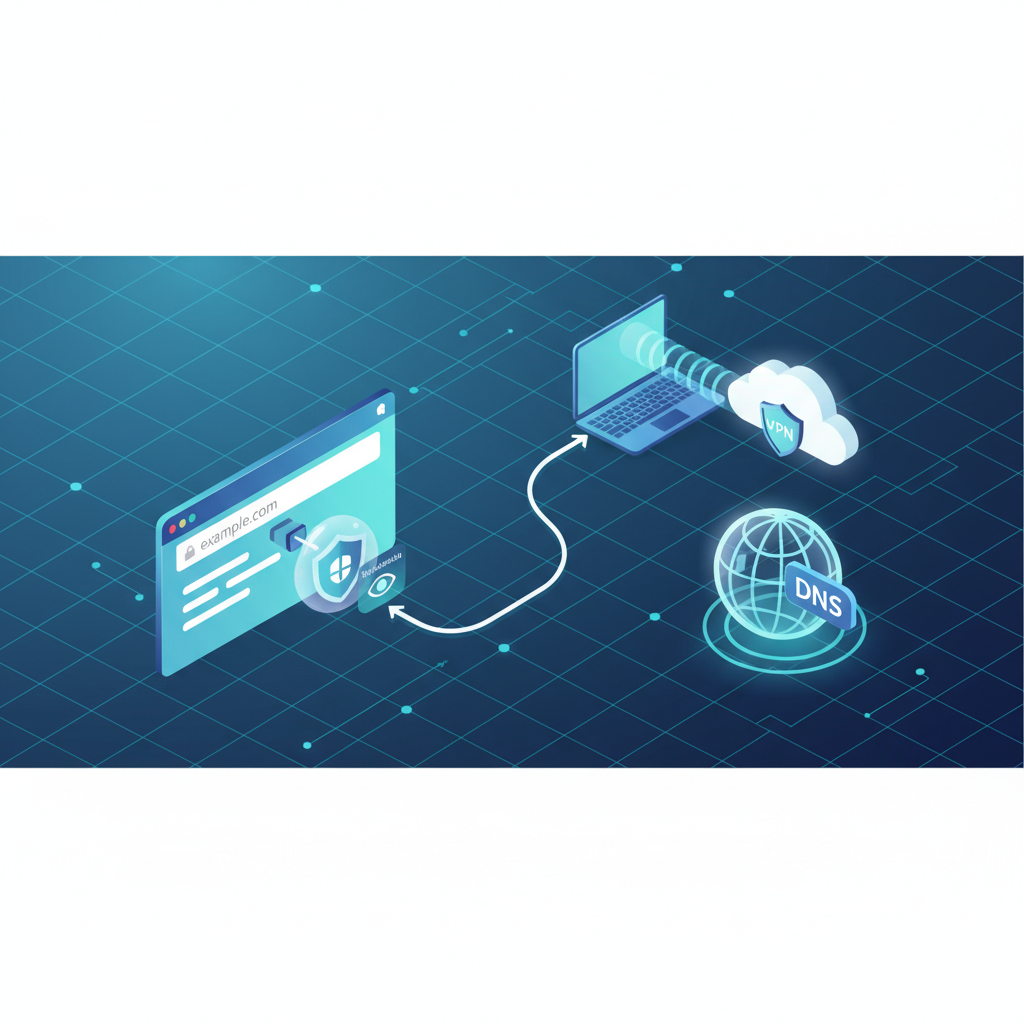
                <p>Most people think online privacy starts and ends with a VPN. In reality, privacy often fails at a much quieter layer: DNS. DNS does not get the same attention as cookies or encryption, but it can reveal exactly what you are trying to access—even when everything else is protected.</p>
<p>DNS (Domain Name System) is how your device translates a domain name into an IP address. When you type a website into your browser, DNS is the first step. Without DNS, nothing loads. And because DNS sits at the start of nearly every connection, it becomes one of the most valuable metadata sources on the entire internet.</p>
<p>The privacy problem is simple: if someone can observe your DNS requests, they can often infer what sites you use, when you are active, and how frequently you return. Even if your browsing content is encrypted, DNS can still expose intent and behavior patterns.</p>
<p>In a traditional setup, DNS requests are handled by your ISP’s resolver by default. That means your ISP may have visibility into the domains you request. Even if an ISP does not “read your browsing,” it can still see what services you connect to, which is enough for profiling at scale.</p>
<p>This is why DNS privacy matters even when you use a VPN. A VPN can hide your IP address from websites and reduce destination visibility for your ISP, but if DNS requests escape outside the encrypted tunnel, you leak critical metadata while assuming you are protected. This is known as a DNS leak.</p>
<p>DNS leaks are especially dangerous because they are silent. Users do not notice them. Everything still works. The VPN app says “connected.” But domain lookups happen outside the tunnel, creating a direct connection between your real network and your browsing intent.</p>
<p>This connects directly to the idea of layered privacy. A VPN protects the network path. Browser tools reduce tracking inside the browser. DNS sits in between as a metadata bridge. If you want the full overview of how privacy layers work together, start here: <a href="https://slvpn-cisco.com/vpn-vs-browser-privacy-tools-what-each-one-protects-and-what-it-doesnt/">the practical difference between network privacy and browser privacy</a>.</p>
<p>So what does “secure DNS” mean in 2026? It does not mean “a special DNS that makes you anonymous.” It means reducing DNS exposure so domain requests are not trivially visible to local networks or upstream observers. Secure DNS is about minimizing metadata leakage and improving the predictability of your privacy setup.</p>
<p>Two popular technologies often mentioned in DNS privacy are DoH and DoT. DoH stands for DNS over HTTPS. DoT stands for DNS over TLS. Both aim to encrypt DNS queries in transit so they are harder to observe or manipulate on the network.</p>
<p>It is important to understand what DoH/DoT actually change. They encrypt DNS requests between your device and a DNS resolver. They do not eliminate DNS data. They simply protect it while it travels. The resolver itself can still see the queries. This means trust shifts from “my local network can see it” to “my chosen resolver can see it.”</p>
<p>This is why DNS privacy is not only technical, but also a trust decision. You are choosing who handles your DNS data. Some users prefer their VPN’s DNS servers because it keeps routing within one provider. Others prefer independent resolvers for performance or perceived separation. There is no universal answer—only trade-offs.</p>
<p>One of the biggest DNS privacy mistakes is mixing tools without understanding the routing outcome. For example, using a VPN while forcing DNS through a separate resolver can create inconsistent behavior. In some environments, this creates leaks or breaks connectivity. In others, it creates unusual traffic patterns that may trigger extra verification.</p>
<p>This ties into another concept: IP reputation and trust scoring. When your network behavior looks unusual, websites may apply friction like CAPTCHAs or login challenges. If you want to understand why that happens and how IP trust affects access, read this article: <a href="https://slvpn-cisco.com/ip-reputation-explained-why-some-connections-get-blocked-or-challenged/">why some IPs get blocked or flagged by websites</a>.</p>
<p>Another common mistake is assuming “changing DNS” is a substitute for a VPN. DNS settings can influence privacy and filtering, but they do not encrypt all traffic. They do not hide your IP address from websites. They do not protect traffic contents. DNS is only one layer—and it is not a VPN replacement.</p>
<p>IPv6 adds another complexity layer. In some setups, DNS and routing behave differently under IPv6 than IPv4. If a privacy tool handles IPv4 traffic well but leaves IPv6 partially exposed, you can end up with a split identity: some activity protected, some activity visible. Even when browsing seems normal, correlation signals can leak.</p>
<p>In restricted or controlled networks, DNS can also be manipulated. Some networks enforce “forced DNS” by redirecting DNS traffic regardless of user settings. This can cause silent failures where users think they are using a private resolver, but the network is intercepting requests. Secure DNS helps reduce some of these risks, but it is not always a guarantee.</p>
<p>The practical goal of DNS privacy is consistency. Your setup should route DNS through the intended pathway without fallback behavior, silent overrides, or unexpected splits. Consistency reduces leaks. And in a tracking world built on correlation, reducing leaks is a meaningful privacy win.</p>
<p>Secure DNS is not exciting, but it is one of the highest impact improvements in a privacy stack. Most privacy failures do not happen because encryption is weak. They happen because metadata escapes somewhere small and unglamorous. DNS is one of the most common places where that happens.</p>
<p>If you want a realistic privacy baseline for 2026, treat DNS as a core component. Combine DNS discipline with network-level protection and browser-level tracking controls. That layered approach is what produces privacy that holds up under real conditions—not just in theory.</p>
<p><strong>Disclaimer:</strong> This article is for educational purposes only and discusses lawful, responsible privacy practices. It does not provide instructions for bypassing restrictions or violating laws or terms of service.</p>
            ]]>
        </content>
    </entry>
    <entry>
        <title>VPN Kill Switch Explained: How It Works and When You Actually Need It</title>
        <author>
            <name>BJ</name>
        </author>
        <link href="https://slvpn-cisco.com/vpn-kill-switch-explained-how-it-works-and-when-you-actually-need-it/"/>
        <id>https://slvpn-cisco.com/vpn-kill-switch-explained-how-it-works-and-when-you-actually-need-it/</id>
        <media:content url="https://slvpn-cisco.com/media/posts/5/gfh5df.png" medium="image" />

        <updated>2026-01-01T12:08:00+06:00</updated>
            <summary type="html">
                <![CDATA[
                        <img src="https://slvpn-cisco.com/media/posts/5/gfh5df.png" alt="" />
                    A VPN is only protective when it is actually active. That sounds obvious, but many privacy failures happen during the seconds when a&hellip;
                ]]>
            </summary>
        <content type="html">
            <![CDATA[
                    <p><img src="https://slvpn-cisco.com/media/posts/5/gfh5df.png" class="type:primaryImage" alt="" /></p>
                <p>A VPN is only protective when it is actually active. That sounds obvious, but many privacy failures happen during the seconds when a VPN connection drops, reconnects, or silently fails while the device continues sending traffic normally. This is exactly what a <strong>VPN kill switch</strong> is designed to prevent.</p>
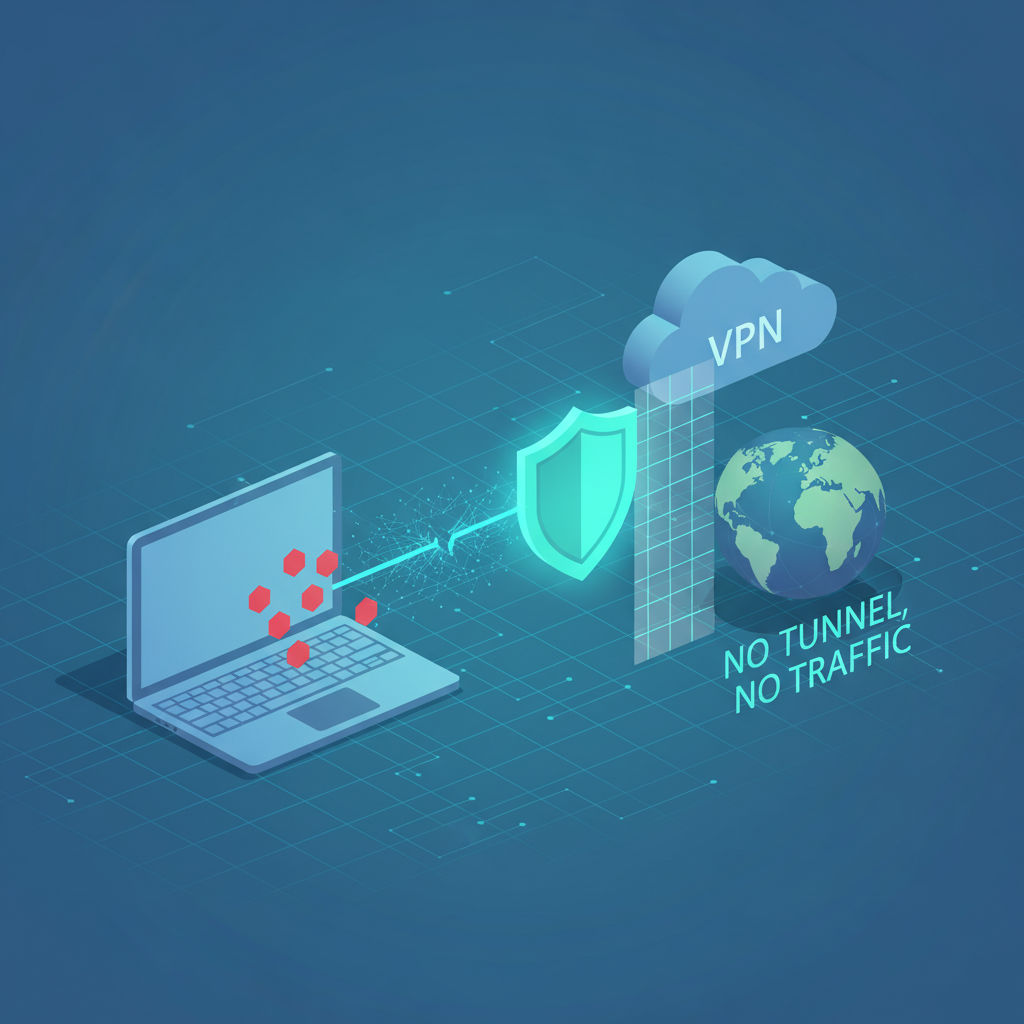
<p>A kill switch is a safety mechanism that blocks internet connectivity if the VPN tunnel is not active. Instead of allowing traffic to “fall back” to your regular connection, the kill switch forces your device to stop sending data until the VPN is restored. In privacy terms, it prevents accidental exposure of your real IP address and network metadata.</p>
<p>Kill switches became popular for a reason: real networks are unstable. Wi-Fi drops. Mobile data switches towers. Routers reboot. Laptops wake from sleep. Even the best VPN providers cannot fully prevent temporary disconnections. What matters is how your device behaves during those events.</p>
<p>Without a kill switch, the default behavior of most systems is convenience-first: if the VPN disconnects, your device simply uses the normal connection to keep the internet working. That is great for uninterrupted access, but it is not great for privacy. If you rely on a VPN to reduce IP-based correlation, a single drop can reveal your real identity and location.</p>
<p>The kill switch solves that by enforcing a strict rule: no tunnel, no traffic. It turns VPN usage from “best effort” into “fail closed.” Instead of failing open (exposing traffic), it fails safe (blocking traffic).</p>
<p>Kill switches usually work by applying firewall rules, routing restrictions, or interface controls. The exact implementation depends on the operating system and VPN client. Some kill switches are system-wide, blocking all network traffic. Others are app-based, blocking only selected applications when the VPN drops.</p>
<p>System-wide kill switches are stronger for privacy because they remove ambiguity. If the VPN disconnects, nothing escapes. App-based kill switches can be convenient but risk missing background processes, browser tabs, or system updates that still leak traffic. From a strict privacy standpoint, system-wide behavior is usually safer.</p>
<p>It is also important to understand that kill switches are not only about IP address exposure. They help prevent DNS leaks during reconnection windows, and they reduce the chance of short “unprotected bursts” of traffic that can be logged or correlated by observers.</p>
<p>This matters more in environments where tracking is correlation-based. Even a few seconds of traffic outside the tunnel can connect sessions. The user may think “I always use a VPN,” but the network saw brief drops and fallback traffic. Kill switches exist to eliminate that gap.</p>
<p>Kill switches also matter when browser-level signals can expose network details. If a VPN disconnects and your browser continues operating normally, certain features can reveal information that increases correlation confidence. One example discussed frequently in privacy setups is WebRTC behavior and related exposure risks. If you haven’t read that yet, start here: <a href="https://slvpn-cisco.com/webrtc-leaks-and-browser-privacy-what-they-are-and-why-they-matter/">how browser networking features can leak unexpected signals</a>.</p>
<p>Another key point is that kill switches do not replace layered privacy. A VPN protects the network path and reduces IP-based tracking. Browser tools reduce tracking scripts, cookies, and fingerprint signals. If you want the full picture of how these layers fit together, this overview is essential: <a href="https://slvpn-cisco.com/vpn-vs-browser-privacy-tools-what-each-one-protects-and-what-it-doesnt/">how VPN protection and browser privacy tools complement each other</a>.</p>
<p>So, when do you actually need a kill switch? You need it any time privacy depends on the VPN being consistently active. That includes users who work on public Wi-Fi, users who travel and switch networks often, and users who want predictable IP masking over long sessions. In these scenarios, connection drops are not rare—they are normal.</p>
<p>If you only use a VPN occasionally for convenience and do not care about occasional IP exposure, a kill switch is less critical. But for privacy-focused use, it is one of the simplest features that prevents the most common real-world failure.</p>
<p>There are also usability trade-offs. A kill switch can interrupt connectivity when a VPN server is unstable. Some users disable it because they think “the internet is broken.” In reality, the kill switch is working exactly as intended. The better solution is improving VPN stability, not removing the safety mechanism.</p>
<p>The best privacy setups prioritize predictable behavior. A kill switch is part of that. It removes the gray zone where traffic sometimes leaks outside the tunnel. And in modern tracking environments, removing gray zones is often the difference between “privacy in theory” and “privacy in practice.”</p>
<p>A VPN kill switch is not a premium feature reserved for advanced users. It is a basic safety control that prevents accidental exposure. If you rely on a VPN for privacy, enabling a kill switch is one of the smartest low-effort steps you can take.</p>
<p><strong>Disclaimer:</strong> This article is for educational purposes only and discusses lawful, responsible privacy practices. It does not provide instructions for bypassing restrictions or violating laws or terms of service.</p>
            ]]>
        </content>
    </entry>
    <entry>
        <title>Why Your “Private Browsing” Isn’t Private: The Real Limits of Incognito Mode</title>
        <author>
            <name>BJ</name>
        </author>
        <link href="https://slvpn-cisco.com/why-your-private-browsing-isnt-private-the-real-limits-of-incognito-mode/"/>
        <id>https://slvpn-cisco.com/why-your-private-browsing-isnt-private-the-real-limits-of-incognito-mode/</id>
        <media:content url="https://slvpn-cisco.com/media/posts/2/depositphotos_217675680-stock-photo-london-united-kingdom-september-2018.webp" medium="image" />

        <updated>2025-06-19T11:55:00+06:00</updated>
            <summary type="html">
                <![CDATA[
                        <img src="https://slvpn-cisco.com/media/posts/2/depositphotos_217675680-stock-photo-london-united-kingdom-september-2018.webp" alt="" />
                    Incognito mode is one of the most misunderstood privacy features on the internet. Many users assume it makes them anonymous, hides activity from&hellip;
                ]]>
            </summary>
        <content type="html">
            <![CDATA[
                    <p><img src="https://slvpn-cisco.com/media/posts/2/depositphotos_217675680-stock-photo-london-united-kingdom-september-2018.webp" class="type:primaryImage" alt="" /></p>
                <p>Incognito mode is one of the most misunderstood privacy features on the internet. Many users assume it makes them anonymous, hides activity from websites, or blocks tracking completely. In reality, incognito (also called private browsing) does something far more limited: it reduces what your browser stores <strong>on your device</strong> after you close the window.</p>
<p>That may still be useful, but it is not the same as being private online. If you rely on private browsing as your main privacy strategy, you are almost certainly overestimating what it can do. This article breaks down what incognito mode actually changes, what remains visible, and what privacy layers you still need.</p>
<p>Let’s start with the most basic truth: incognito mode is a <strong>local privacy feature</strong>, not a network privacy tool. It mainly exists to prevent your browsing session from being saved in your history, and to isolate session data (like cookies and form data) so it is discarded after you close the private window.</p>
<p>In practical terms, incognito mode is useful when you don’t want other people using the same device to see your browsing history or stay logged into your accounts. It is also helpful for quickly testing websites in a clean session without interference from existing cookies.</p>
<p>What incognito does not do is hide your activity from the outside world. Websites still see your IP address. Your internet provider still sees traffic patterns and destination signals. Network administrators can still observe connections. And trackers can still collect data while you are actively browsing.</p>
<p>So why do people feel like incognito is “private”? Because when you close the window, it looks clean. There is no history. No saved logins. No obvious traces inside the browser. But the internet does not work only inside your browser storage. Tracking happens across networks, servers, and third-party systems that are completely separate from your device.</p>
<p>One of the most important concepts to understand is that privacy is not just cookies. Cookies are one part of tracking, but modern tracking systems use multiple signals: IP address, browser fingerprinting, server-side analytics, session correlation, and behavioral patterns. Incognito reduces some stored identifiers, but it does not remove the signals that make correlation possible.</p>
<p>Browser fingerprinting is a perfect example. Fingerprinting observes properties of your device and browser configuration such as screen size, time zone, rendering behavior, available fonts, and supported APIs. These signals can still be collected in incognito mode because they are not stored as cookies. They are characteristics of your environment.</p>
<p>This is why users can be recognized even when they “clear everything.” If your fingerprint is stable and you repeatedly visit the same sites, privacy tools that only manage cookies are not enough. Incognito is not designed to solve this.</p>
<p>Another common misconception is that incognito hides activity from your internet service provider. It does not. Your ISP still routes your traffic and can still observe metadata such as demands for domain resolution (DNS behavior), connection timing, and data volumes. Incognito does not change network routing. It only affects browser storage.</p>
<p>Incognito also does not stop the websites you visit from logging activity. If you visit a site, it can still record your visit server-side. If you sign into an account, the service can still log your actions. Private browsing does not override platform analytics or account-based tracking.</p>
<p>If you want a broader picture of how tracking persists even without cookies, you should read our earlier overview on layered privacy. It explains why network tools and browser tools solve different problems, and why relying on only one layer is not enough: <a href="https://slvpn-cisco.com/vpn-vs-browser-privacy-tools-what-each-one-protects-and-what-it-doesnt/">how network protection and browser privacy work together</a>.</p>
<p>It is also important to understand that “private browsing” does not mean “safe browsing.” If you download a file, it still downloads. If you install malware, incognito doesn’t protect you. If you enter personal information into a phishing site, incognito doesn’t stop that either. It’s not a security mode. It’s a storage behavior.</p>
<p>Another limitation is that incognito does not necessarily block third-party scripts. If a website loads advertising networks, analytics trackers, or fingerprinting code, those scripts can still run during the session. They may not be able to store long-lived cookies as easily, but they can still collect data in real time.</p>
<p>Some browsers reduce third-party cookie behavior in private mode, and that is a meaningful improvement. But cookie restrictions are not the same as stopping tracking. If third-party scripts can still read your environment and correlate your session, privacy is still limited.</p>
<p>So what should you use instead of incognito when privacy matters? The answer is not one tool, but a realistic privacy stack. For example, privacy tools that reduce tracking scripts and minimize fingerprint exposure are more effective for everyday browsing than incognito alone. A well-configured browser profile with sensible restrictions can provide consistent protection without breaking everything.</p>
<p>When network-level privacy is important, you need network-level tools. A VPN can reduce IP-based tracking and protect traffic on untrusted networks like public Wi-Fi. But even a VPN does not block tracking scripts inside your browser. That is why layered privacy matters. Incognito mode is not a substitute for either of these layers.</p>
<p>If you want to understand how a browser can leak identifying signals beyond cookies, one of the most important topics is WebRTC. WebRTC is a legitimate browser technology, but it can sometimes expose network-related data if not controlled. We cover this here: <a href="https://slvpn-cisco.com/why-your-private-browsing-isnt-private-the-real-limits-of-incognito-mode/">how WebRTC can quietly reveal network details</a>.</p>
<p>And if you want a practical way to reduce metadata exposure at the domain level, DNS hygiene matters. DNS privacy mistakes can undermine good intentions, especially when people assume a private browser session “hides everything.” A modern DNS overview and common mistakes are covered here: <a href="https://slvpn-cisco.com/secure-dns-in-2026-dns-privacy-basics-dohdot-and-common-mistakes/">a practical guide to DNS privacy basics</a>.</p>
<p>The healthiest mindset is to treat incognito mode as a convenience feature, not a privacy strategy. It is great for quick temporary sessions. It helps keep your local device clean. But it does not eliminate tracking, it does not anonymize identity, and it does not protect traffic outside your browser.</p>
<p>If you care about real privacy, build your setup around tools that reduce correlation: limit tracking scripts, reduce fingerprint uniqueness where possible, keep identities separated through browser profiles, and use network privacy tools when needed. That approach produces meaningful results in the real world.</p>
<p>Incognito is not useless. It’s just not what people imagine it is. Once you understand its boundaries, you can use it for what it’s good at—and stop expecting it to do what it was never designed to do.</p>
<p><strong>Disclaimer:</strong> This article is for educational purposes only and discusses lawful, responsible privacy practices. It does not provide instructions for bypassing restrictions or violating laws or terms of service.</p>
            ]]>
        </content>
    </entry>
    <entry>
        <title>WebRTC Leaks and Browser Privacy: What They Are and Why They Matter</title>
        <author>
            <name>BJ</name>
        </author>
        <link href="https://slvpn-cisco.com/webrtc-leaks-and-browser-privacy-what-they-are-and-why-they-matter/"/>
        <id>https://slvpn-cisco.com/webrtc-leaks-and-browser-privacy-what-they-are-and-why-they-matter/</id>
        <media:content url="https://slvpn-cisco.com/media/posts/4/zpeg.png" medium="image" />

        <updated>2025-04-19T12:04:00+06:00</updated>
            <summary type="html">
                <![CDATA[
                        <img src="https://slvpn-cisco.com/media/posts/4/zpeg.png" alt="" />
                    WebRTC is one of those technologies most people never think about—until privacy problems appear. It powers real-time communication features like video calls, voice&hellip;
                ]]>
            </summary>
        <content type="html">
            <![CDATA[
                    <p><img src="https://slvpn-cisco.com/media/posts/4/zpeg.png" class="type:primaryImage" alt="" /></p>
                <p>WebRTC is one of those technologies most people never think about—until privacy problems appear. It powers real-time communication features like video calls, voice chat, and peer-to-peer connections in the browser. Used properly, it’s extremely useful. But in certain privacy setups, WebRTC can expose network-related details that users did not intend to share.</p>
<p>This is why the phrase “WebRTC leak” shows up in privacy discussions. It does not mean WebRTC is malicious. It means that under some configurations, a browser may reveal information that allows websites or scripts to learn more about your network environment than expected.</p>
<p>To understand the risk, you need to understand what privacy tools actually do. Most privacy improvements come from reducing tracking signals: IP correlation, stored identifiers, and browser fingerprint patterns. A VPN helps at the network layer by changing which IP address websites see. Browser tools help at the client layer by limiting tracking scripts and storage. But if a browser exposes additional network data, those layers become less effective.</p>
<p>A WebRTC leak is not always “your real IP is fully exposed.” In many cases, the leak is more subtle: local network IP addresses, IPv6 details, or connection path signals that help correlation systems build confidence. In privacy, small signals matter because tracking works through multi-signal matching, not one perfect identifier.</p>
<p>WebRTC works by establishing communication channels that can sometimes reveal candidate network paths. This can include local addresses or interface information that’s useful for peer-to-peer negotiation. That behavior is legitimate from a functionality perspective—but it can be undesirable when privacy is your priority.</p>
<p>The real privacy issue is expectation mismatch. Many users believe “I turned on a VPN, so every network detail is hidden.” In reality, a VPN changes your external routing and encrypts traffic to the VPN server, but your browser still has access to local network interfaces. If a website can query certain features, it may learn more than you expected.</p>
<p>This matters because privacy is not only about hiding content. It’s about controlling exposure of metadata and identifiers. If a site can see signals that confirm your real location or your local network structure, it may become easier to correlate sessions even when a VPN is active.</p>
<p>WebRTC leak discussions are often exaggerated online, so it’s important to stay grounded. For most mainstream users, the risk is not “instant compromise.” The risk is weaker privacy boundaries, especially for users who rely heavily on IP masking to reduce correlation.</p>
<p>WebRTC is also connected to a bigger concept: browsers are complex environments. Even if you block cookies and install privacy extensions, there are still APIs that expose device characteristics. This is one reason why privacy is most effective when approached as layered risk reduction rather than absolute invisibility.</p>
<p>If you want a complete understanding of layered protection, start here: <a href="https://slvpn-cisco.com/vpn-vs-browser-privacy-tools-what-each-one-protects-and-what-it-doesnt/">a clear breakdown of VPN vs browser privacy layers</a>. That article explains why VPNs and browser tools solve different problems, and why you need both.</p>
<p>WebRTC leaks also connect to trust systems used by websites. If an IP address looks suspicious or low-trust, sites apply friction. But they also combine IP data with browser signals. Extra network exposure can increase correlation confidence and contribute to stricter treatment in some environments. If you want to understand why certain connections get blocked or challenged, read: <a href="https://slvpn-cisco.com/ip-reputation-explained-why-some-connections-get-blocked-or-challenged/">how IP reputation affects access and verification</a>.</p>
<p>It is also worth noting that WebRTC is not the only leak vector. DNS handling, IPv6 routing, and split tunneling can create similar “partial exposure” problems. A strong privacy setup focuses on consistency: fewer unexpected paths and fewer uncontrolled signals. The more consistent your environment, the harder correlation becomes.</p>
<p>From a practical standpoint, WebRTC is best managed through browser settings, extensions, or privacy-focused browsers that reduce exposure by design. Not every user needs to fully disable WebRTC, especially if they rely on web-based calls. The goal is control, not breaking functionality.</p>
<p>The best privacy outcomes come from understanding where leaks happen and why they matter. If you treat privacy tools as layers—network layer plus browser layer—you’ll avoid most false confidence traps. WebRTC leaks are simply one example of how browser networking features can create unexpected signals.</p>
<p>In modern privacy, small exposures matter because tracking is correlation-based. A WebRTC leak might not reveal everything, but it can provide just enough information to connect sessions that you assumed were separate. That is why it remains an important topic for anyone serious about browser privacy.</p>
<p><strong>Disclaimer:</strong> This article is for educational purposes only and discusses lawful, responsible privacy practices. It does not provide instructions for bypassing restrictions or violating laws or terms of service.</p>
            ]]>
        </content>
    </entry>
    <entry>
        <title>IP Reputation Explained: Why Some Connections Get Blocked or Challenged</title>
        <author>
            <name>BJ</name>
        </author>
        <link href="https://slvpn-cisco.com/ip-reputation-explained-why-some-connections-get-blocked-or-challenged/"/>
        <id>https://slvpn-cisco.com/ip-reputation-explained-why-some-connections-get-blocked-or-challenged/</id>
        <media:content url="https://slvpn-cisco.com/media/posts/3/depositphotos_8338456-stock-photo-network-server-room.webp" medium="image" />

        <updated>2025-03-19T11:59:00+06:00</updated>
            <summary type="html">
                <![CDATA[
                        <img src="https://slvpn-cisco.com/media/posts/3/depositphotos_8338456-stock-photo-network-server-room.webp" alt="" />
                    Have you ever connected to a website and instantly received a CAPTCHA, a “suspicious activity” warning, or a login challenge that normally doesn’t&hellip;
                ]]>
            </summary>
        <content type="html">
            <![CDATA[
                    <p><img src="https://slvpn-cisco.com/media/posts/3/depositphotos_8338456-stock-photo-network-server-room.webp" class="type:primaryImage" alt="" /></p>
                <p>Have you ever connected to a website and instantly received a CAPTCHA, a “suspicious activity” warning, or a login challenge that normally doesn’t appear? If it happens more often on a VPN, proxy, or shared network, you’re not imagining things. Many platforms assign a “trust score” to IP addresses, and that score can determine how you are treated before you even load a page.</p>
<p>This system is known as <strong>IP reputation</strong>. It is one of the most important and least understood layers of modern internet security. IP reputation affects accessibility, friction, and user experience across everything from search engines and social platforms to e-commerce and financial services.</p>
<p>IP reputation is essentially a risk profile assigned to an IP address or an entire network block. Instead of treating every visitor equally, websites evaluate whether incoming traffic appears normal, safe, or potentially automated. This evaluation happens automatically, often in milliseconds, long before you see a page.</p>
<p>The easiest way to understand it is this: an IP address is not just a number. It is a history. If an IP has been used for spam, abuse, automated scraping, credential stuffing, or suspicious login behavior, it may be treated as high risk. If an IP is commonly used by normal users with stable patterns, it may be treated as lower risk.</p>
<p>This is why shared VPN endpoints can cause friction. Large VPN services frequently rotate users through the same IP addresses. Even if you are browsing normally, you inherit the reputation of the IP you are assigned. If too many users trigger security systems from the same endpoint, the endpoint becomes “hot.”</p>
<p>Datacenter networks are also treated differently than residential networks. Datacenter IP ranges are often associated with hosting providers and automated workloads. That doesn’t mean datacenter traffic is malicious, but it does mean it stands out statistically. Some websites treat all datacenter IPs with increased suspicion simply because the risk profile is higher.</p>
<p>Reputation scoring is not only about “bad behavior.” It is also about pattern recognition. If hundreds of users appear from the same IP in a short time, or if one IP generates unusually high request volumes, the system may assume automation or abuse even without clear evidence. Modern security platforms are built to reduce false negatives, even if that increases false positives.</p>
<p>Another key factor is the ASN (Autonomous System Number). Instead of scoring just one IP, services often score entire network groups. If an ASN is known for proxy services, VPN hosting, or cloud automation, traffic from that ASN may face stricter treatment. This is why two VPNs can behave differently even in the same country: their infrastructure reputation is not the same.</p>
<p>Geographic consistency also matters. If an IP appears in one country today and another tomorrow, or if user sessions jump across regions, some systems treat that as suspicious. This is not always censorship—it is often fraud prevention. But it can create a frustrating experience for privacy tool users.</p>
<p>Websites also combine IP reputation with browser-level signals. If your browser fingerprint looks unusual, your cookies are inconsistent, or your session behavior resembles automation, the risk score increases. This is why solving IP problems alone does not always remove challenges. IP reputation is one layer in a multi-signal system.</p>
<p>It’s also important to note that “blocked” is not always a hard block. Many services apply soft restrictions: additional CAPTCHAs, rate limits, lower performance, forced re-authentication, or suspicious-login warnings. From the user perspective it feels like a website is “broken,” but the site is actually applying friction to manage risk.</p>
<p>So what does this mean for everyday VPN or proxy users? It means that a privacy tool can work perfectly from a technical standpoint, and still create a worse browsing experience because the IP you’re using is not trusted. The VPN is not failing—the IP is being treated differently.</p>
<p>This topic connects directly to common misconceptions about privacy browsing. Many people think private browsing makes them “invisible,” then get surprised when websites challenge them more. If you want a clear breakdown of why private mode does not equal privacy, read our article here: <a href="https://slvpn-cisco.com/why-your-private-browsing-isnt-private-the-real-limits-of-incognito-mode/">the real limits of private browsing modes</a>.</p>
<p>It also connects to browser-based leak signals, especially those that expose network details. Some browser technologies can reveal identifying information that increases trust-system suspicion in certain scenarios. We cover one of the most common examples in this post: <a href="#4">how browser networking features can leak identifying signals</a>.</p>
<p>The realistic conclusion is that IP reputation is a normal part of modern internet security. It exists because websites need to protect themselves from abuse. For privacy-focused users, the goal is not to “beat” reputation systems, but to understand why friction happens and avoid unrealistic expectations.</p>
<p>Privacy tools reduce tracking and exposure, but they also change the signals websites see. In some cases, that triggers additional verification. That is the trade-off. A mature privacy strategy accepts this friction as part of the cost of reducing correlation.</p>
<p>When users understand IP reputation, they stop assuming that challenges mean “my VPN is broken.” Instead, they recognize that the internet increasingly runs on trust scoring. And trust scoring cares about context, history, and patterns—not just whether you are a legitimate user.</p>
<p><strong>Disclaimer:</strong> This article is for educational purposes only and discusses lawful, responsible privacy practices. It does not provide instructions for bypassing restrictions or violating laws or terms of service.</p>
            ]]>
        </content>
    </entry>
    <entry>
        <title>VPN vs Browser Privacy Tools: What Each One Protects (and What It Doesn’t)</title>
        <author>
            <name>BJ</name>
        </author>
        <link href="https://slvpn-cisco.com/vpn-vs-browser-privacy-tools-what-each-one-protects-and-what-it-doesnt/"/>
        <id>https://slvpn-cisco.com/vpn-vs-browser-privacy-tools-what-each-one-protects-and-what-it-doesnt/</id>
        <media:content url="https://slvpn-cisco.com/media/posts/1/fdgh.png" medium="image" />

        <updated>2025-01-19T11:50:00+06:00</updated>
            <summary type="html">
                <![CDATA[
                        <img src="https://slvpn-cisco.com/media/posts/1/fdgh.png" alt="" />
                    If you care about online privacy in 2026, you’ve probably heard every recommendation imaginable: “Use a VPN.” “Just use incognito.” “Install an ad&hellip;
                ]]>
            </summary>
        <content type="html">
            <![CDATA[
                    <p><img src="https://slvpn-cisco.com/media/posts/1/fdgh.png" class="type:primaryImage" alt="" /></p>
                <p>If you care about online privacy in 2026, you’ve probably heard every recommendation imaginable: “Use a VPN.” “Just use incognito.” “Install an ad blocker.” “Switch to a privacy browser.” Some of that advice is good. Some is incomplete. And some creates the worst outcome possible: false confidence.</p>
<p>The problem is that many privacy tools operate on different layers of the internet stack. A VPN protects one layer. A browser extension protects another. DNS settings affect a different layer. If you mix up those layers, you’ll either overpay for protection you don’t need—or rely on tools that don’t protect what you think they do.</p>
<p>This guide breaks down the real differences between VPNs and browser privacy tools. You’ll learn what each one protects, where it fails, and how to combine them into a practical privacy setup without sacrificing usability or falling for marketing hype.</p>
<p>Let’s start with the most important principle: online privacy is not a switch you turn on. It’s a system of trade-offs, habits, and technical layers. Your goal is not “invisibility.” Your goal is <strong>reducing exposure</strong> and <strong>limiting correlation</strong>.</p>
<p>A VPN (Virtual Private Network) is a network-layer tool. It creates an encrypted tunnel between your device and a remote server. Websites see the VPN server’s IP address instead of your real one. Your ISP sees encrypted traffic going to the VPN, rather than a direct list of websites. That’s the core value of a VPN: it changes <strong>where traffic appears to come from</strong> and protects data in transit.</p>
<p>Browser privacy tools work differently. They focus on what happens inside your browser: scripts, trackers, cookies, fingerprinting signals, and the tiny data points that ad networks use to recognize you across websites. Browser tools do not change your IP address. They reduce what the browser reveals and what it accepts from trackers.</p>
<p>This difference alone explains why debates like “VPN vs ad blocker” are usually wrong. They’re not competitors. They’re different pieces of the same privacy system. A VPN helps on the network layer. Browser tools help on the client/browser layer. One does not replace the other.</p>
<p>To make this simple, imagine your privacy as a house. A VPN is like tinting the windows and controlling which street your front door appears to be on. Browser privacy tools are like removing microphones inside the house and preventing strangers from planting tracking devices in your living room. Both matter, but they solve different problems.</p>
<p>So what does a VPN actually protect? First, it reduces IP-based tracking. Your home IP is a stable identifier that can connect sessions across time. A VPN replaces your IP with a shared server IP, weakening that correlation. Second, it protects you on untrusted networks like public Wi-Fi by encrypting traffic. Third, it reduces ISP-level visibility of your browsing destinations (though your ISP still sees that you use a VPN and how much data you transfer).</p>
<p>What a VPN does <em>not</em> protect is equally important. A VPN does not block trackers or ads inside your browser. It does not stop websites from fingerprinting your device. It does not prevent cookies from linking your sessions. And it definitely does not make you anonymous if you log into accounts tied to your identity. If you sign into Google, Meta, Apple, Microsoft, or any personal account, you’ve already identified yourself—VPN or not.</p>
<p>Now let’s look at browser privacy tools. The most common category is tracker blocking, usually implemented via content blockers or privacy extensions. These tools prevent known advertising and analytics scripts from loading. That reduces data collection and can speed up browsing. In many cases, it also reduces retargeting and cross-site profiling.</p>
<p>Next is cookie control. Cookies are not inherently evil—they enable logins and sessions. The privacy problem is third-party cookies and tracking cookies used to follow users across sites. Modern browsers reduce this by default, but dedicated privacy tools can go further by cleaning storage, isolating containers, or blocking third-party writes.</p>
<p>Another critical layer is fingerprinting resistance. Fingerprinting collects characteristics such as fonts, screen size, device capabilities, and browser configuration to create a “signature” that can recognize you again even without cookies. Some browsers and extensions reduce fingerprint uniqueness, but this is one of the hardest problems in privacy. You can block every cookie and still remain identifiable through a stable fingerprint.</p>
<p>Browser privacy tools are powerful, but they also have limits. They mostly protect you inside the browser. If an app outside your browser collects telemetry, that’s a different channel. They also don’t hide your IP address, meaning websites still know your approximate location and network identity. And importantly, aggressive blocking can break sites or cause login issues, which often leads users to disable protection entirely. The best setup is one you can actually keep using.</p>
<p>This leads to an important truth: the modern internet tracks users using <strong>correlation</strong>. Tracking is rarely just one identifier. It’s a combination of IP, cookies, device fingerprint, account state, behavior patterns, and timing. The more of those signals you reduce, the harder you are to profile at scale.</p>
<p>So which tool matters more: VPN or browser privacy tools? If your main threat is local network exposure (public Wi-Fi), ISP visibility, and IP-based correlation, a VPN helps the most. If your main threat is advertising tracking, retargeting, cross-site profiling, and fingerprint-based recognition, browser tools matter more. For most people, both threats exist.</p>
<p>A practical privacy setup usually looks like this: use a reputable VPN when you want to reduce IP exposure or protect traffic on untrusted networks, and use browser privacy tools every day to reduce tracking signals and data collection. This combination provides stronger protection than either tool alone.</p>
<p>However, there are common mistakes that ruin privacy even when tools are installed. One mistake is running a VPN but using the same browser profile for everything: work, personal accounts, casual browsing, and sensitive research. That creates one huge identity cluster. Tracking systems love that. A better strategy is separating activities into different browser profiles or containers.</p>
<p>Another mistake is installing too many privacy extensions. This sounds counterintuitive, but the more unique your extension set becomes, the more fingerprintable you may be. Some users create a “super unique” browser fingerprint by stacking dozens of tools. Privacy is not about collecting tools. It is about reducing stable identifiers.</p>
<p>A third mistake is ignoring IP reputation and traffic trust signals. Even if you’re using privacy tools correctly, your connection can be treated differently based on the IP address you appear from. This is why some users experience more CAPTCHAs, verification prompts, or restricted access when using certain VPN endpoints. If you want a deeper technical understanding of this, read our guide on <a href="https://slvpn-cisco.com/ip-reputation-explained-why-some-connections-get-blocked-or-challenged/">IP Reputation and Why Some Connections Get Blocked</a>.</p>
<p>A fourth mistake is focusing only on cookies while ignoring network-level leaks and browser features. For example, certain browser functions can expose network information even when you think everything is protected. This is one reason topics like WebRTC still matter in modern privacy setups. We cover that in detail here: <a href="https://slvpn-cisco.com/webrtc-leaks-and-browser-privacy-what-they-are-and-why-they-matter/">WebRTC Leaks and Why They Matter for Browser Privacy</a>.</p>
<p>Now let’s address a popular myth: “If I use incognito mode with a VPN, I’m private.” Incognito mostly prevents local history and cookies from being saved after you close the window. It does not block fingerprinting and does not stop trackers from collecting data while you are browsing. And a VPN only changes routing—it does not change your browser identity. Incognito plus VPN can be useful, but it is not a privacy guarantee.</p>
<p>Another myth: “A VPN protects me from websites tracking me.” A VPN can reduce tracking based on IP address, but websites and ad networks still see your browser environment. If you load third-party scripts, accept trackers, and stay logged into accounts, a VPN does not prevent profiling. To many trackers, the VPN is just a different IP behind the same identity.</p>
<p>So what does “real privacy” look like in daily life? It looks like consistency and separation. It looks like keeping your browser environment clean and predictable. It looks like limiting how often you combine identities. And it looks like choosing tools that reduce tracking signals without constantly breaking usability.</p>
<p>If you want one simple framework, use this: network privacy tools reduce what outsiders can see about your connection path, and browser privacy tools reduce what websites can collect and store about your behavior. Both are necessary because modern tracking works across both layers.</p>
<p>For everyday users who want practical protection without overcomplication, this approach works well: use one strong browser profile for normal browsing with tracker protection enabled, use a separate “privacy” profile with stricter settings, and keep a VPN available for public Wi-Fi, travel, or when you want to reduce IP-based correlation. This is realistic, maintainable, and effective.</p>
<p>The best privacy solution is not the most extreme one. It’s the one you will actually keep using. Most people lose privacy not because tools don’t exist, but because the setup is too complex, too slow, or too fragile. A simple layered system is usually the strongest long-term strategy.</p>
<p>In 2026, privacy is not about hiding everything. It’s about controlling what you unnecessarily share. Once you understand what VPNs do and what browser tools do, you can build a setup that protects you in the real world—not just in theory.</p>
<p><strong>Disclaimer:</strong> This article is for educational purposes only and discusses lawful, responsible privacy practices. It does not provide instructions for bypassing restrictions or violating laws or terms of service.</p>
            ]]>
        </content>
    </entry>
</feed>